15 Best Technical SEO Tools to Boost Website Performance in 2026
What’s Inside This Guide
- What is Technical SEO? (Simple Explanation)
- 15 Best Technical SEO Tools for 2026
- Tools for Beginners (Start Here)
- Tools to Make Your Website Faster
- Best Free Tools (No Credit Card Needed)
- How to Pick the Right Tools
- Simple 5-Step Process
- Why These Tools Matter
- How We Can Help
- Common Questions Answered
What is Technical SEO? (Simple Explanation)
Think of technical SEO like the foundation of your house. You can’t see it, but without it, everything falls apart.
Technical SEO makes sure:
- Google can find and read all your web pages
- Your website loads quickly (under 3 seconds)
- Your site works perfectly on mobile phones
- There are no broken links or error pages
- Your website is secure (uses HTTPS)
When these things work well, you get:
- Higher rankings on Google
- More visitors to your website
- More customers who actually buy
- Better trust from people who visit
For businesses in Saudi Arabia, this is extra important. Your customers expect fast, professional websites. If your site is slow or broken, they’ll go to your competitor.
15 Best Technical SEO Tools for 2026
Here are the best technical SEO tools that actually work. We’ve tested them all.
1. Google Search Console (100% Free)
This is the most important tool. You MUST use this one.
What it does:
- Shows you what Google sees on your website
- Tells you which pages have problems
- Shows which keywords bring you traffic
- Alerts you when something breaks
- 100% free, straight from Google
Perfect for: Everyone (beginners to experts)
Cost: Free forever
2. Screaming Frog SEO Spider
This tool crawls your website like Google does and finds every problem.
What it does:
- Checks every page on your website
- Finds broken links and missing pages
- Shows duplicate content problems
- Creates sitemaps automatically
- Works on your computer (Windows or Mac)
Perfect for: Small to medium websites
Cost: Free for 500 pages, £149/year for unlimited
3. Google PageSpeed Insights (Free)
Tests how fast your website loads and tells you exactly how to fix it.
What it does:
- Measures your website speed
- Tests on mobile and desktop
- Gives you a score out of 100
- Lists problems in order of importance
- Shows you what to fix first
Perfect for: Quick speed checks
Cost: Free
4. SEMrush Site Audit
One of the most powerful tools for checking everything on your website.
What it does:
- Scans up to 20,000 pages automatically
- Checks 150+ different problems
- Ranks problems by importance
- Sends you email alerts
- Creates easy-to-read reports
Perfect for: Businesses serious about SEO
Cost: From $129.95/month
5. Ahrefs Site Audit
Great for deep website analysis and tracking improvements over time.
What it does:
- Finds 100+ types of technical issues
- Shows your site structure visually
- Tracks your progress over time
- Monitors your site health score
- Checks your internal linking
Perfect for: Marketing teams and agencies
Cost: From $129/month
6. GTmetrix
The best tool for testing and improving website speed.
What it does:
- Tests your page speed in detail
- Shows exactly what’s making you slow
- Tests from different countries
- Tracks speed changes over time
- Sends alerts if speed drops
Perfect for: Speed optimization
Cost: Free basic, paid from $10/month
7. Bing Webmaster Tools (Free)
Like Google Search Console but for Bing. It also catches problems Google might miss.
What it does:
- Shows Bing search performance
- Provides free SEO reports
- Offers keyword research tools
- Scans for security issues
- Checks mobile-friendliness
Perfect for: Complete search coverage
Cost: Free
8. Moz Pro
User-friendly tool that’s great for beginners and small businesses.
What it does:
- Crawls your site weekly
- Prioritizes what to fix first
- Gives page optimization tips
- Easy to understand reports
- Good support and tutorials
Perfect for: Small businesses and beginners
Cost: From $99/month
9. Sitebulb
Makes complex SEO data easy to understand with beautiful visual reports.
What it does:
- Creates visual reports anyone can understand
- Tells you exactly what to fix
- Makes PDF reports for clients
- Checks accessibility issues
- Validates structured data
Perfect for: Agencies and consultants
Cost: From £35/month
10. DeepCrawl (Now Called Lumar)
Enterprise-level tool for very large websites.
What it does:
- Handles millions of pages
- Advanced crawling features
- Team collaboration tools
- Custom alerts and reporting
- API integrations
Perfect for: Large e-commerce and enterprise sites
Cost: Custom pricing
11. Ryte
Monitors your website 24/7 and alerts you when something breaks.
What it does:
- Real-time website monitoring
- Instant problem alerts
- Content quality analysis
- Custom dashboards
- Free version available
Perfect for: Continuous monitoring
Cost: Free basic, paid from €99/month
12. Netpeak Spider
Budget-friendly alternative to Screaming Frog with similar features.
What it does:
- Fast website crawling
- Scheduled automatic crawls
- JavaScript rendering
- Bulk URL analysis
- Very affordable pricing
Perfect for: Budget-conscious users
Cost: From $8/month
13. WebPageTest (Free)
Advanced speed testing with detailed technical information.
What it does:
- Tests from worldwide locations
- Shows waterfall charts
- Records video of page loading
- Tests on different devices
- Completely free to use
Perfect for: Advanced speed analysis
Cost: Free
14. Chrome Lighthouse (Free)
Built into Google Chrome browser. Test any page instantly.
What it does:
- Tests performance, accessibility, SEO
- Built into Chrome (no installation)
- Instant results
- Progressive Web App testing
- Completely free
Perfect for: Quick page audits
Cost: Free
15. Schema Markup Validator (Free)
Tests if your structured data is working correctly.
What it does:
- Validates schema markup
- Shows rich result previews
- Identifies markup errors
- Tests all schema types
- Direct from Google
Perfect for: Rich snippet optimization
Cost: Free
Tools for Beginners (Start Here)
New to SEO? Don’t get overwhelmed. Start with these simple tools:
Your Starter Toolkit (All Free):
- Google Search Console – Must have for every website
- Google PageSpeed Insights – Check your speed
- Screaming Frog Free Version – Scan up to 500 pages
- Bing Webmaster Tools – Extra insights for free
- Chrome Lighthouse – Already in your browser
These five tools cost nothing and cover 80% of what you need.
Why Start with Free Tools?
- Learn the basics without spending money
- Understand what problems to look for
- See if you can fix issues yourself
- Decide later if you need paid tools
Most small businesses can get great results with just these free tools.
Tools to Make Your Website Faster
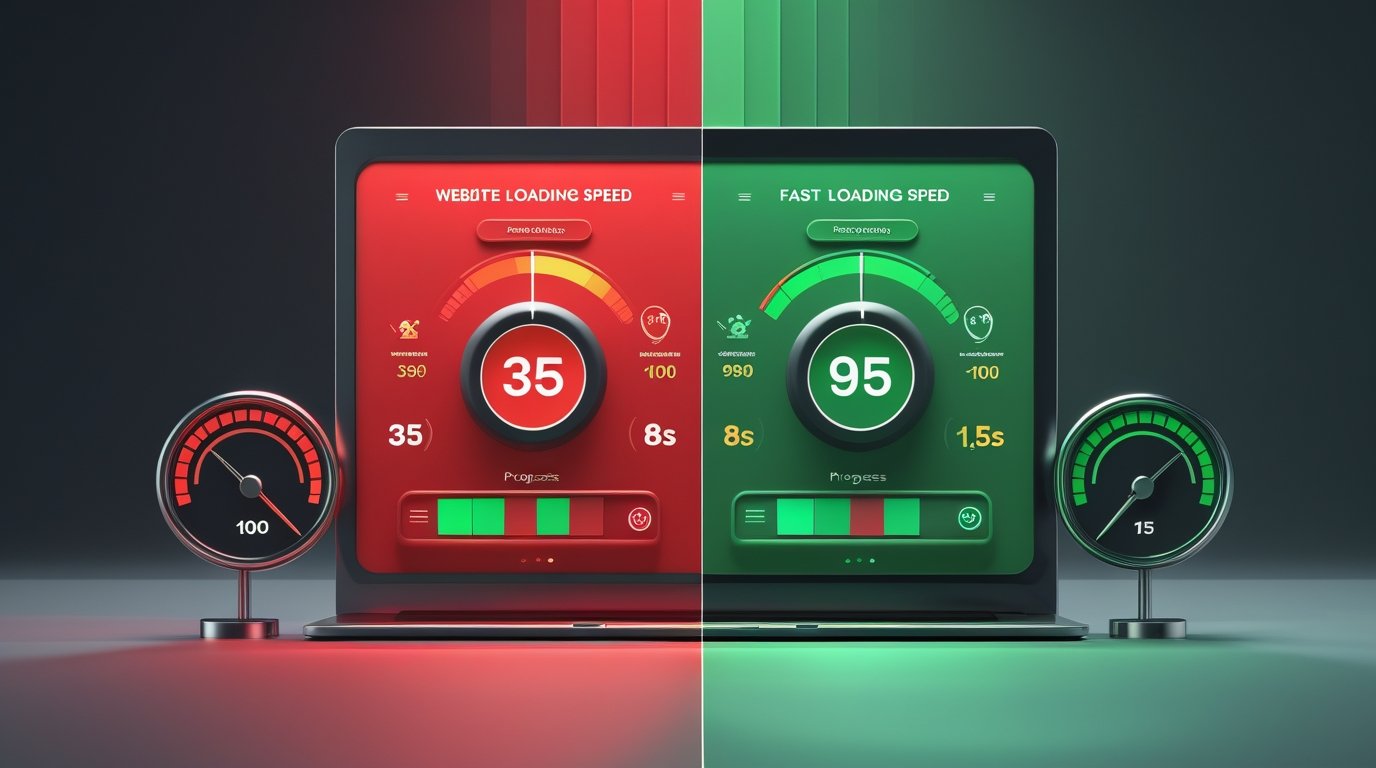
Website speed is super important. If your site takes more than 3 seconds to load, you lose customers.
These technical SEO tools to improve website speed actually work:
Speed Testing Tools:
- GTmetrix – Easy to understand, great recommendations
- Google PageSpeed Insights – See what Google thinks
- WebPageTest – Advanced testing options
- Pingdom – Test from different countries
- Chrome DevTools – Built into Chrome browser
What Slows Down Websites:
- Images that are too big
- Too many plugins or scripts
- Slow web hosting
- No caching setup
- Unoptimized code
Quick Wins for Speed:
- Compress all images before uploading
- Use a CDN (Content Delivery Network)
- Enable browser caching
- Minify CSS and JavaScript
- Choose faster web hosting
For businesses in Saudi Arabia, test your speed from local servers to see what your customers actually experience.
Best Free Tools (No Credit Card Needed)
You don’t need to spend money to improve your SEO. These free technical SEO tools are actually excellent:
100% Free Forever:
- Google Search Console – Essential monitoring
- Google PageSpeed Insights – Speed testing
- Bing Webmaster Tools – Alternative search insights
- Chrome Lighthouse – Browser-based auditing
- Schema Markup Validator – Structured data testing
- Mobile-Friendly Test – Check mobile compatibility
- Security Headers – Test security setup
- SSL Labs – Check HTTPS configuration
Free with Limits:
- Screaming Frog – Free for 500 pages
- GTmetrix – Basic testing free
- Ryte – Free for small sites
When to Upgrade to Paid Tools:
Consider paid tools when:
- Your website has more than 500 pages
- You need automated weekly scans
- You want advanced features
- You’re managing multiple websites
- Time is more valuable than money
How to Pick the Right Tools
Choosing the best technical SEO tools depends on your specific needs.
Ask Yourself These Questions:
1. How big is your website?
- Under 500 pages? Use free tools
- 500-10,000 pages? Consider SEMrush or Ahrefs
- Over 10,000 pages? Need enterprise tools
2. What’s your budget?
- $0/month: Free tools work great
- $100-200/month: SEMrush, Ahrefs, or Moz
- $500+/month: Enterprise solutions
3. Are you technical?
- Beginner: Moz, Google tools
- Intermediate: SEMrush, Ahrefs
- Expert: Screaming Frog, DeepCrawl
4. What’s your main goal?
- Fix technical errors: Screaming Frog
- Improve speed: GTmetrix
- Overall SEO: SEMrush or Ahrefs
- Monitor changes: Ryte
Our Recommendations by Business Size:
Small Business (1-10 employees):
- Google Search Console (free)
- PageSpeed Insights (free)
- Screaming Frog free version
- Total cost: $0/month
Growing Business (10-50 employees):
- SEMrush or Ahrefs
- GTmetrix Pro
- Google Search Console
- Total cost: $150-200/month
Large Company (50+ employees):
- DeepCrawl or Botify
- SEMrush Enterprise
- Specialized monitoring tools
- Total cost: $500+/month
Simple 5-Step Process
Here’s how to use technical SEO audit tools to improve your website:
Step 1: Set Up Your Tools (Week 1)
- Create Google Search Console account
- Verify your website ownership
- Set up Bing Webmaster Tools
- Install your chosen crawling tool
- Connect everything together
Time needed: 2-3 hours
Step 2: Run Your First Audit (Week 2)
- Crawl your entire website
- Test page speed on 5-10 important pages
- Check mobile-friendliness
- Review Google Search Console for errors
- Make a list of all problems found
Time needed: 4-6 hours
Step 3: Prioritize Problems (Week 3)
Sort problems into categories:
- Critical (Fix Now): Security issues, broken pages, crawl errors
- Important (Fix Soon): Speed problems, mobile issues
- Medium (Fix Later): Duplicate content, minor errors
- Low (Nice to Have): Small optimizations
Time needed: 2-3 hours
Step 4: Fix the Problems (Weeks 4-12)
Start with critical issues first:
- Fix security and HTTPS issues
- Repair broken links and pages
- Improve page speed
- Fix mobile problems
- Optimize images
- Clean up duplicate content
Time needed: Varies by website size
Step 5: Monitor and Maintain (Ongoing)
- Check Google Search Console weekly
- Run monthly speed tests
- Do quarterly full audits
- Fix new issues as they appear
- Track your improvements
Time needed: 2-4 hours/month
Why These Tools Matter
Using the right SEO tools for website optimization brings real results:
What You’ll Get:
- Higher Google Rankings: Climb to page 1
- More Organic Traffic: 30-50% increase in 6 months
- Faster Website: Load in under 3 seconds
- Better User Experience: Visitors stay longer
- More Conversions: 15-25% more customers
- Lower Bounce Rate: People don’t leave immediately
- Competitive Advantage: Beat your competitors
Real Results from Our Clients:
Case Study 1: Riyadh Service Company
- Fixed technical SEO issues in 3 months
- Organic traffic increased by 147%
- Page speed improved from 35 to 92
- Conversions up by 38%
Case Study 2: Jeddah E-commerce Store
- Resolved crawl errors and speed issues
- Rankings improved for 80+ keywords
- Mobile traffic doubled
- Revenue increased by 65%
Long-Term Benefits:
- Sustainable growth that lasts
- Less money spent on ads
- Better brand reputation
- Happier customers
- Future-proof website
How We Can Help You
Don’t want to spend months learning technical SEO? We can do it for you.
Our Technical SEO Services:
We use all the best technical SEO analysis tools to get you results fast.
What We Do:
- Complete technical SEO audit
- Fix all technical issues
- Speed optimization (under 3 seconds)
- Mobile optimization
- Security improvements
- Ongoing monitoring and maintenance
- Monthly reports in simple language
Why Choose Us:
- We Know Saudi Arabia: We understand local search behavior
- Proven Results: Helped 200+ businesses improve rankings
- Best Tools: We use SEMrush Enterprise, Ahrefs, and more
- Clear Communication: Reports in Arabic or English
- Fast Results: See improvements in 30-60 days
- Honest Pricing: No hidden fees
- Dedicated Support: Direct access to your SEO specialist
Our Process:
- Free Audit: We analyze your website (no obligation)
- Strategy Meeting: We explain what needs fixing
- Implementation: We do all the technical work
- Monitoring: We track results weekly
- Reporting: You get monthly updates
Our Guarantee:
We guarantee to:
- Fix all critical technical issues within 30 days
- Improve your page speed score by at least 20 points
- Increase your crawlable pages by 100%
- Provide monthly reports you can actually understand
Special Offer for New Clients
Get a FREE Technical SEO Audit (Worth SAR 2,500)
We’ll analyze your website and show you:
- Exactly what’s wrong with your technical SEO
- How it’s hurting your rankings
- Step-by-step plan to fix everything
- Estimated timeline and costs
Limited to first 10 businesses this month.
Contact us now:
- 📞 Phone: 03275051951
- 📧 Email: info@sfdigitalsolutions.com
Common Questions Answered
What are technical SEO tools?
Technical SEO tools are software that help you find and fix problems on your website. They check if Google can read your site properly, test your speed, find broken links, and identify other issues that hurt your rankings. The best tools make this easy, even if you’re not technical.
Do I really need technical SEO tools?
Yes. Without these tools, you won’t know what’s wrong with your website. Technical problems are invisible to visitors but very visible to Google. If Google can’t read your site properly, you won’t rank. These tools show you exactly what to fix to get better rankings and more customers.
Which technical SEO tool should I start with?
Start with Google Search Console. It’s 100% free and shows you exactly what Google sees on your website. Then add Google PageSpeed Insights to check your speed. These two free tools cover the basics. Once you’re comfortable, try Screaming Frog’s free version for deeper analysis.
Are free technical SEO tools good enough?
For small websites (under 500 pages), free tools are excellent. Google Search Console, PageSpeed Insights, and Screaming Frog’s free version can handle most small business needs. Paid tools become necessary when you have a larger site, need automation, or want advanced features that save time.
How long does it take to see results?
Critical fixes (like security issues) can improve rankings within days. Speed improvements usually show results in 2-4 weeks. Overall technical SEO improvements typically take 3-6 months to fully impact rankings. The timeline depends on how many issues you have and how quickly you fix them.
Can I do technical SEO myself or should I hire someone?
If you’re comfortable with technology and have time to learn, you can do basic technical SEO yourself using free tools. However, if you want fast results, have a complex website, or don’t have time, hiring an expert saves money in the long run. Experts fix issues faster and avoid costly mistakes.
How much do technical SEO tools cost?
Many excellent tools are completely free (Google Search Console, PageSpeed Insights, Bing Webmaster Tools). Professional tools like SEMrush and Ahrefs cost $100-200/month. Enterprise tools for large websites cost $500+/month. Most small businesses do well with free tools plus one paid tool.
What’s the difference between SEMrush and Ahrefs?
Both are excellent. SEMrush is better for overall marketing (includes PPC tools, social media). Ahrefs is better for backlinks and content research. For technical SEO specifically, both are equally good. Choose based on your other needs. Many professionals use both, but one is enough for most businesses.
How often should I check my technical SEO?
Check Google Search Console weekly for critical issues. Run a speed test monthly. Do a complete technical audit every 3 months. If you make changes to your website, run tests immediately after. Set up automated alerts so tools notify you when problems occur.
Will technical SEO tools make my website rank #1?
Technical SEO is essential but not the only factor. You also need good content, backlinks, and user experience. Think of technical SEO as the foundation – without it, nothing else works. With it, your other SEO efforts become much more effective. Tools help you build that foundation correctly.
Final Thoughts
The best technical SEO tools help you find and fix problems that hurt your rankings. You don’t need expensive tools to get started – free options like Google Search Console and PageSpeed Insights are excellent.
What matters most is actually using these tools regularly and fixing the problems they find.
Remember:
- Start with free tools if you’re on a budget
- Focus on critical issues first (security, speed, broken pages)
- Check your site regularly, not just once
- Fix problems as soon as you find them
- Get professional help if you need faster results
Next Steps:
- Set up Google Search Console today (it’s free)
- Test your website speed with PageSpeed Insights
- Make a list of problems you find
- Start fixing the most important issues
- Contact us if you want expert help
Technical SEO isn’t scary. With the right tools and a simple plan, you can dramatically improve your website’s performance and rankings.
Ready to Fix Your Technical SEO?
Don’t wait. Every day your technical SEO is broken, you’re losing rankings and customers to competitors.
Get your FREE technical SEO audit today.
We’ll show you exactly:
- What’s wrong with your website
- How to fix it (step-by-step)
- How much it will cost
- How long it will take
No obligations. No pressure. Just honest advice.
📞 Call Now: 0327-5051951
📧 Email: info@sfdigitalsolutions.com